
How to keep a prayer list you will actually pray through
Most of us have said “I’ll pray for you” and then forgotten. Requests get buried in group chats, sticky notes and busy days. A prayer list is the simple fix: one place where every request waits until you have prayed it through.
Why keep a prayer list
- You remember. A request written down is a request you can keep praying.
- You pray specifically. Writing it forces you to name what you are asking for.
- You see God answer. “I will remember the works of the LORD: surely I will remember thy wonders of old” (Psalm 77:11).
What to put on your prayer list
It helps to sort requests by what kind of prayer they need:
- Burdens to surrender: worries, sickness, grief, money. “Casting all your care upon him; for he careth for you” (1 Peter 5:7).
- Decisions you need wisdom for: a job offer, a move, a relationship. “If any of you lack wisdom, let him ask of God” (James 1:5).
- Promises and goals you are holding onto: a verse God gave you, a habit you are building.
- People: family, friends, your church, your leaders (1 Timothy 2:1–2).
How to pray through it
- Pray one request at a time, not the whole list in one breath.
- Be specific, and date each request when you add it.
- Pray through the list at your usual prayer time. A long list can be split over the days of the week.
- Once a week, review it: update what changed, and remove what no longer needs prayer.
- When God answers, write down how, and keep it.
When God answers
Answers come as yes, wait, or no. All three are answers. Keep a record of each one, with the story of what happened. On a hard day, that record is a reminder that God has been faithful before.
A prayer list app that keeps up with you
In the free Prayer War Room app, your prayer list is called your battles. Each one is a burden, a decision, or a promise and goal. You can pray with others on it: the people you choose see how many are praying and can write a word of encouragement. When God answers, you move it, write down how, and it goes to your victories.
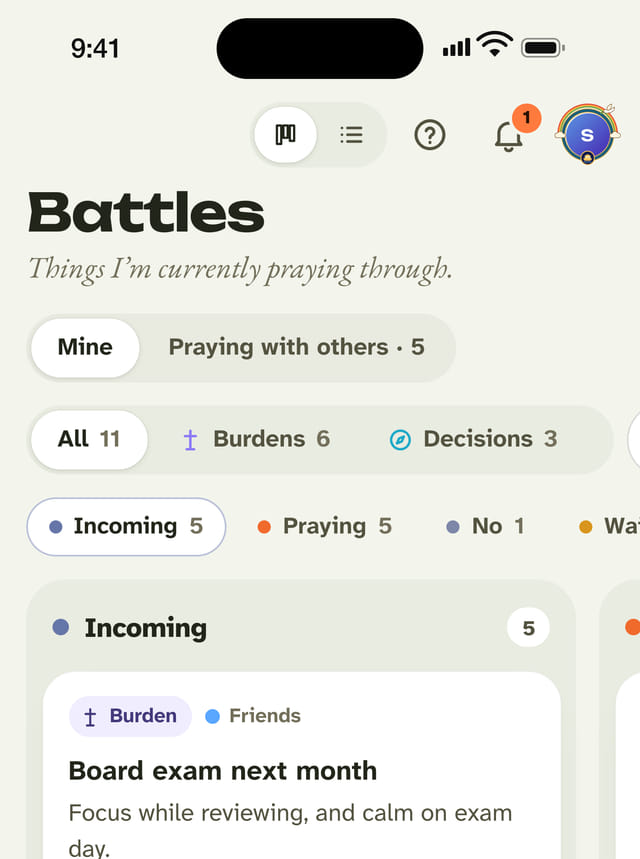
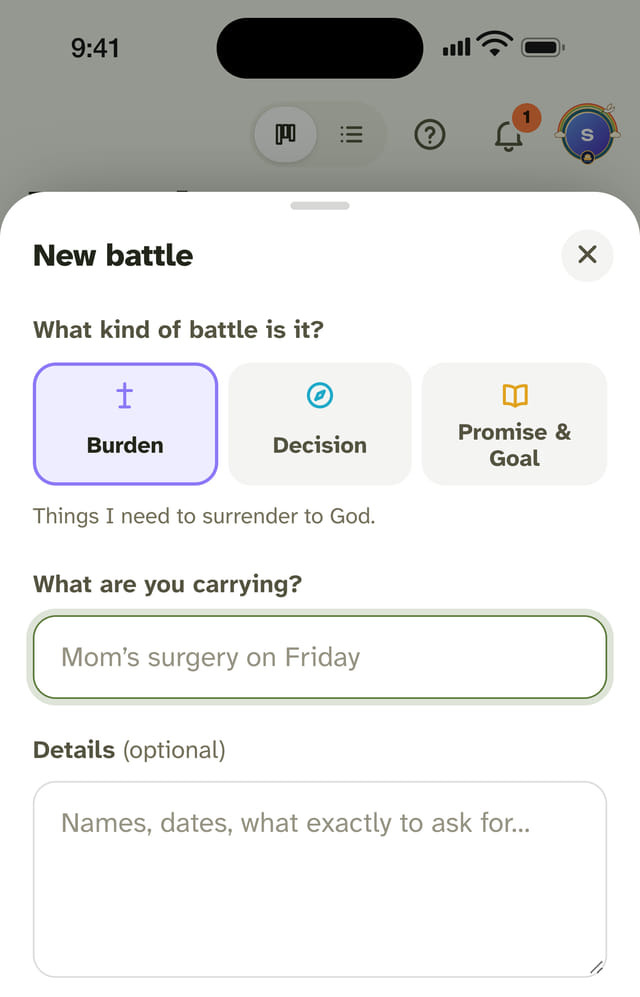
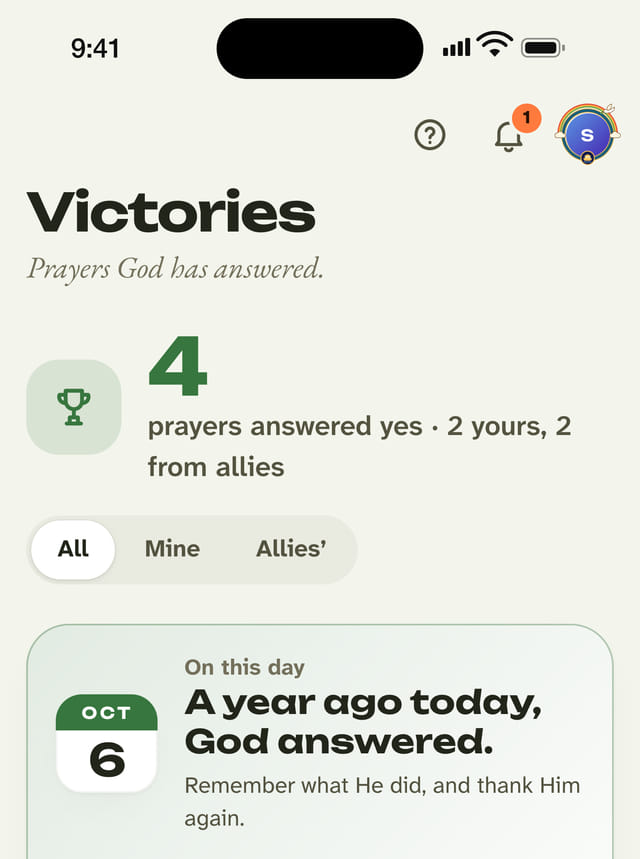
Your prayer time in the app goes through your battles one at a time. Read how to pray the CAST way.